

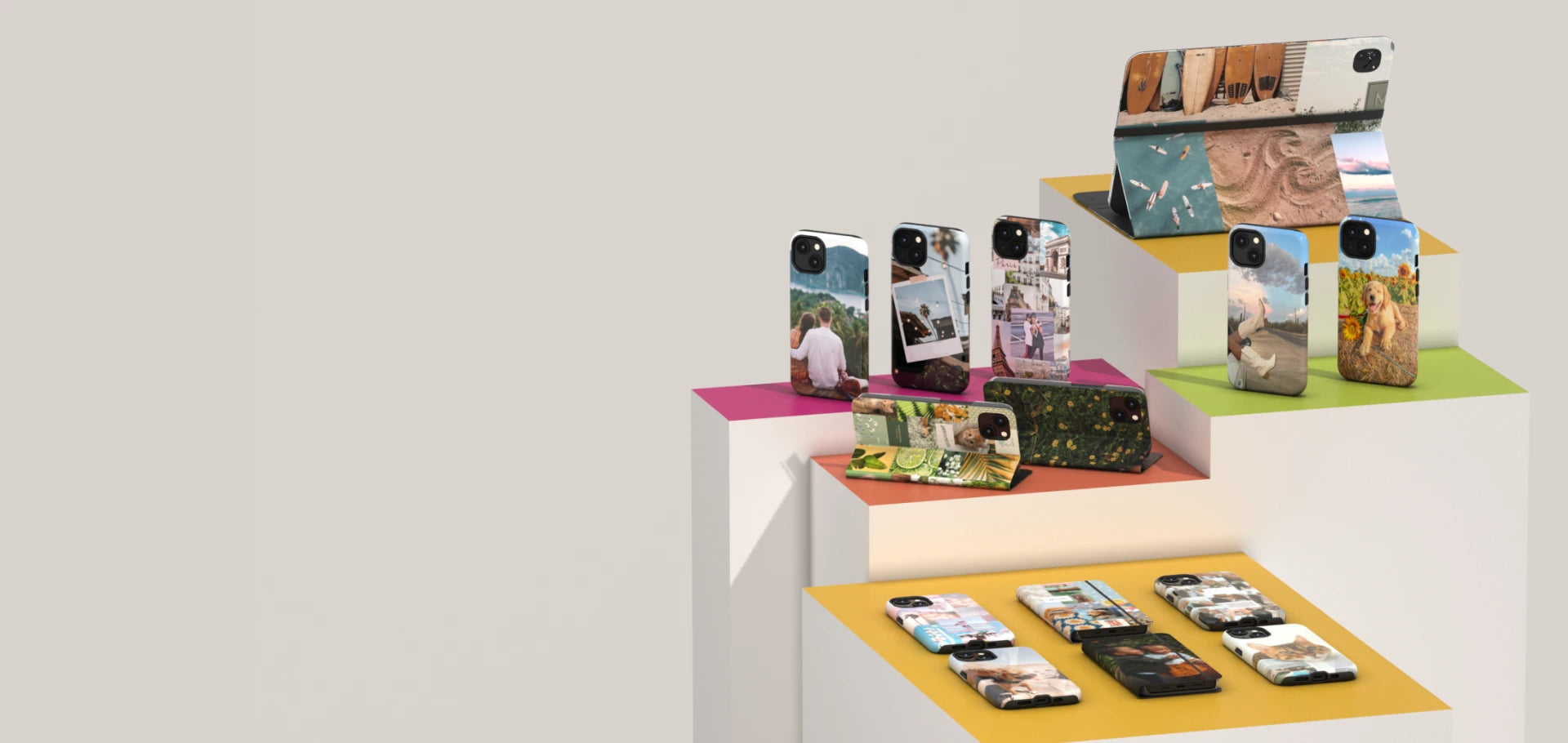


You look at your phone 50 to 100 times a day, but it looks like everyone else's. Not very inspiring, is it? The good news is that you don't need to be a designer to learn how to personalize your iPhone case with a photo that matters to you.
In three simple steps: choose your model, upload your photo, then preview and order. No design skills required.
In this article, we'll show you exactly how to do it, along with concrete ideas for a personalized phone case that truly reflects who you are.
Why bother personalizing your case
A personalized case turns an everyday accessory into a meaningful object. A photo of your pet, a travel memory, or a family portrait, each option tells a different story.
In terms of consumer trends, personalization is clearly gaining popularity. According to a study compiled by Kickflip, a majority of consumers would be willing to pay more for a personalized product over a standard version, a strong signal of the growing appeal of this type of product.
Another significant advantage: a personalized phone case generally carries the same warranties as a standard model, such as the one-year warranty offered for this product category on the customization tool.
It's also an excellent gift choice. A family photo, a travel memory, or even a child's drawing turns an ordinary accessory into an object full of meaning, far more memorable than a generic item bought at the last minute.
Finally, personalization makes it easy to stand out in a world where most phones look alike. Your case becomes an extension of your personality, visible every time you take your phone out in public.
Here's an overview of the whole process, from selecting your model to placing your final order:
|
Step |
Action |
Time required |
|
1 |
Choose the model and case type |
Less than a minute |
|
2 |
Upload the photo and adjust the design |
2 to 5 minutes |
|
3 |
Preview and order |
1 minute |
Step 1: choose your model and case type
Personalizing your iPhone case always starts with choosing the right model. The first step is to select the type of case you want, whether it's an Impact case, a Folio case, an iPad case, an e-reader case, or even a ChargePod. Next, you'll choose a device model (iPhone, Samsung, Google Pixel, or device models like the 10th-generation iPad, Kobo Libra 2, etc.).
This dual selection automatically determines the exact template used for printing, ensuring your photo is properly positioned around the camera and button cutouts.
Take the time to correctly identify your exact model, especially if you have a Pro, Plus, or Ultra variant. Dimensions and camera placement often change from one variant to another, even within the same phone generation.
Step 2: upload your photo and adjust the design
Once you've chosen your model, you can upload your photo directly from your phone or computer. The tool then lets you:
- Zoom or reposition the image for perfect framing
- Add text, such as a name or a date
- Overlay a pattern or filter for extra styling
- Choose from pre-designed collage templates, to drop in several photos without having to build the layout yourself
- Preview the result directly on the template for your chosen phone
Not feeling one single full-size photo? Collage templates are perfect for combining several memories into one design, with no editing skills required.
For a crisp printed result, choose a photo taken with good lighting and sufficient resolution. According to print-on-demand industry recommendations reported by Printful, a resolution of around 300 DPI is ideal for small printed products like a phone case, which helps avoid blurry or pixelated images.
Step 3: preview and order
Before final printing, a preview lets you check the framing, colors, and text placement. A team also performs an internal quality check before printing to ensure a clean result.
As for timelines, a standard order generally takes 3 to 6 business days for production, with express options available if you're in more of a hurry.
Keep in mind that personalized cases are made to order, which means they generally can't be returned except in the case of a manufacturing defect. So be sure to double-check your preview before finalizing your order, particularly the photo framing and spelling if you're adding text.
Want to see the result for yourself? Launch the customization tool and upload your first photo right now.
Inspiration ideas for your personalized case

Once you know how to personalize your case, all that's left is finding the right idea. Here are a few inspirations that come up often.
Capture your pet forever
A sharp photo of your dog or cat, taken at eye level and in good natural light, always gives a memorable result. It's one of the most popular personalization choices.
A case for the whole family
A group photo, a portrait of the kids, or even a family photo taken during a special moment makes a touching gift, both for you and for a loved one.
Keep a travel memory on your phone
A striking landscape or a photo taken during a memorable trip keeps that memory in plain sight, rather than buried in a photo roll you rarely look at.
Create a personalized gift for someone special
A personalized case also makes a great birthday or couple's gift. A carefully chosen photo, paired with a name or a meaningful date, makes a gift that's both practical and sentimental, usually at a more affordable price than other personalized items.
Personalized case: a few practical tips before ordering

A few simple adjustments can make all the difference to the final result.
- Avoid photos that are too dark or blurry, as they lose sharpness when printed
- Avoid screenshots, since they're often lower quality and lower resolution
- Center the main subject of the photo in the middle of the case, away from the camera cutouts
- Pair your personalized case with matching accessories, like an AirPods case, a MacBook skin, or a ChargePod, also personalized
- Double-check your exact phone model before ordering to ensure a perfect fit
You can also draw inspiration directly from a personalized Google Pixel case or a personalized Samsung Galaxy case if you want to see real examples before getting started.
How to keep your personalized case looking great for longer
Knowing how to personalize your iPhone case isn't enough, you also need to take good care of it. A personalized case needs a bit of upkeep to stay looking sharp over the months.
- Avoid abrasive cleaning products, which can dull the print over time
- Clean your case with a soft, slightly damp cloth rather than concentrated alcohol
- Remove the case before extended exposure to direct sunlight, which reduces the risk of fading
- Keep your phone away from excess moisture, especially if your case includes card pockets
These simple habits extend the life of your personalized design, while keeping your photo as crisp as the day you received it.
A well-maintained case also means less waste in the long run. By taking care of your personalized accessory, you avoid having to replace it prematurely, a simple habit that aligns with more responsible consumption.
How to personalize your iPhone case, the recap to get started
Knowing how to personalize your iPhone case has never been easier. In three steps, choose your model, upload your photo, and confirm the preview, you get a one-of-a-kind accessory that truly reflects your personality, with no compromise on protection or warranty.
Head to the online customization tool and bring your own design to life right now.
FAQ
Which devices can be personalized?
Personalization is available for a wide range of devices, including iPhone, Samsung Galaxy, and Google Pixel, as well as iPads, e-readers, ChargePod shells, and Folio cases. Each template is precisely adjusted to the selected model, ensuring perfect alignment of camera, button, and port cutouts, whatever device you choose for your personalized order.
How long does it take to make a personalized case?
A standard order generally takes 3 to 6 business days for production, followed by the usual shipping time depending on the chosen carrier and the final destination of the shipment. An express production option is also available to reduce this to 2 to 4 business days, for those who need their personalized case faster than originally expected at the time of ordering.
How can I personalize my iPhone case quickly before an event?
That's why how to personalize your case quickly remains a common question before a gift or special occasion. Express production reduces manufacturing time to 2 to 4 business days instead of the standard timeline, with the same print quality. For a same-day emergency, you can also visit a store and walk out with a personalized Impact case in about twenty minutes.


